> ## Documentation Index
> Fetch the complete documentation index at: https://playwave.mintlify.site/llms.txt
> Use this file to discover all available pages before exploring further.
# Project PlayWave
> PC cafe game benefits platform — Integration documentation for game studios
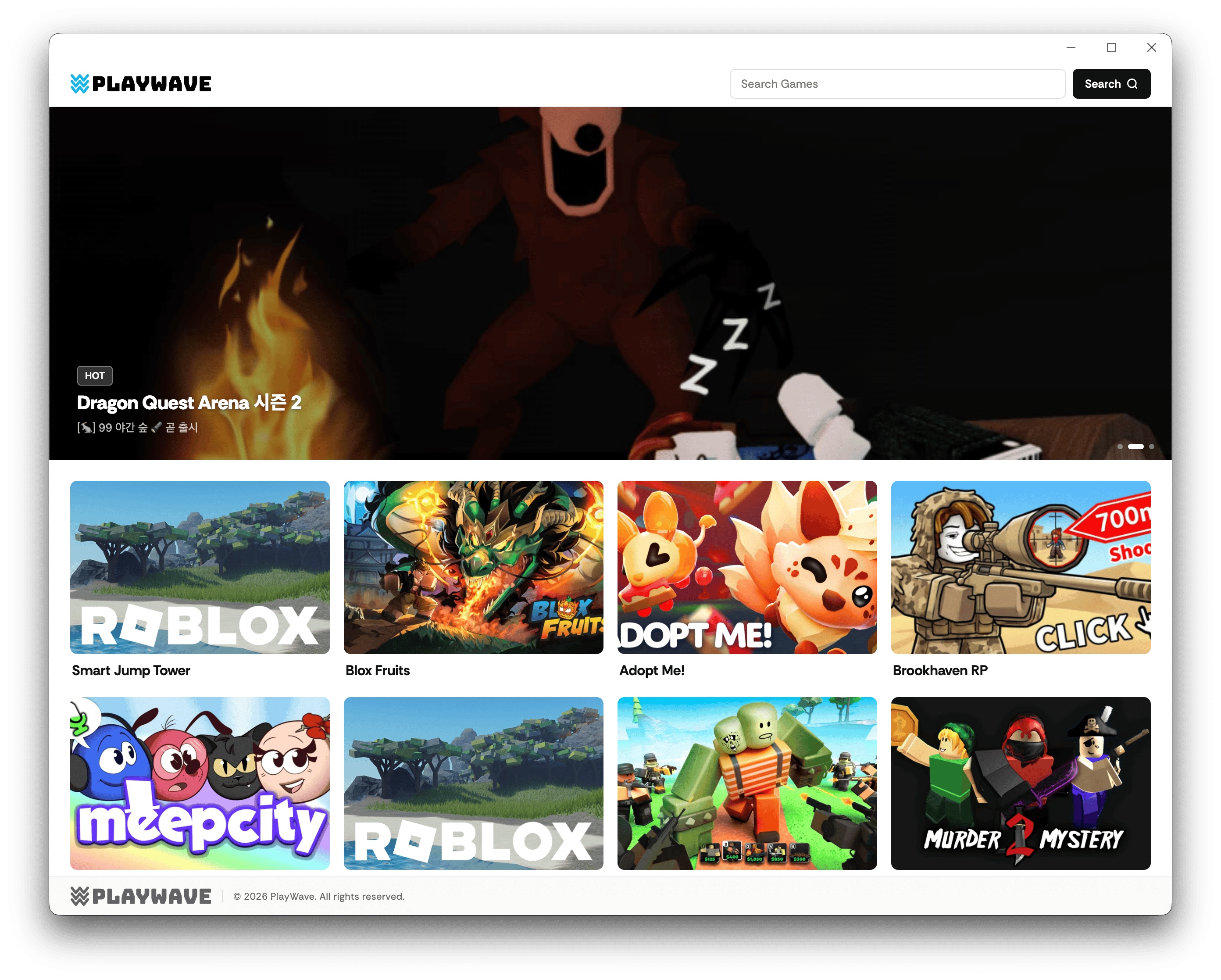
PlayWave is a B2B platform that automatically handles PC cafe authentication, billing, and benefit delivery when users launch games at PC cafes.
Game studios can integrate PlayWave to provide PC cafe benefits to users without building their own infrastructure. PlayWave handles play-time based billing and monthly settlements.
 ## Who is this documentation for?
Learn how PlayWave works and the benefits of adopting it.
Integrate PlayWave into your Roblox game.
## Core flow
User opens the PlayWave launcher at the PC cafe. The server verifies the IP and returns a game list.
User picks a game. The server issues a one-time token (OTT, 1 min TTL) and launches the game.
The game server verifies the OTT via API, starts billing, and grants PC cafe benefits.
The game server sends heartbeats to keep the session alive and billing active.
When the player leaves, billing stops and play time is recorded for monthly settlement.
## Key features
The launcher automatically verifies the PC cafe IP. No manual user authentication needed.
Add a single SDK module to your Roblox game server and you're done.
Automatic monthly settlement based on actual play time.
## Who is this documentation for?
Learn how PlayWave works and the benefits of adopting it.
Integrate PlayWave into your Roblox game.
## Core flow
User opens the PlayWave launcher at the PC cafe. The server verifies the IP and returns a game list.
User picks a game. The server issues a one-time token (OTT, 1 min TTL) and launches the game.
The game server verifies the OTT via API, starts billing, and grants PC cafe benefits.
The game server sends heartbeats to keep the session alive and billing active.
When the player leaves, billing stops and play time is recorded for monthly settlement.
## Key features
The launcher automatically verifies the PC cafe IP. No manual user authentication needed.
Add a single SDK module to your Roblox game server and you're done.
Automatic monthly settlement based on actual play time.